
Account and support
Joining Westio and getting help: the sign up form, logging in, the support chat and account limits
Opening an account takes one form, and support sits behind the chat bubble on every screen. This page covers both, plus how to raise a complaint and how to pause or close an account.
Join
The Create Your Account form
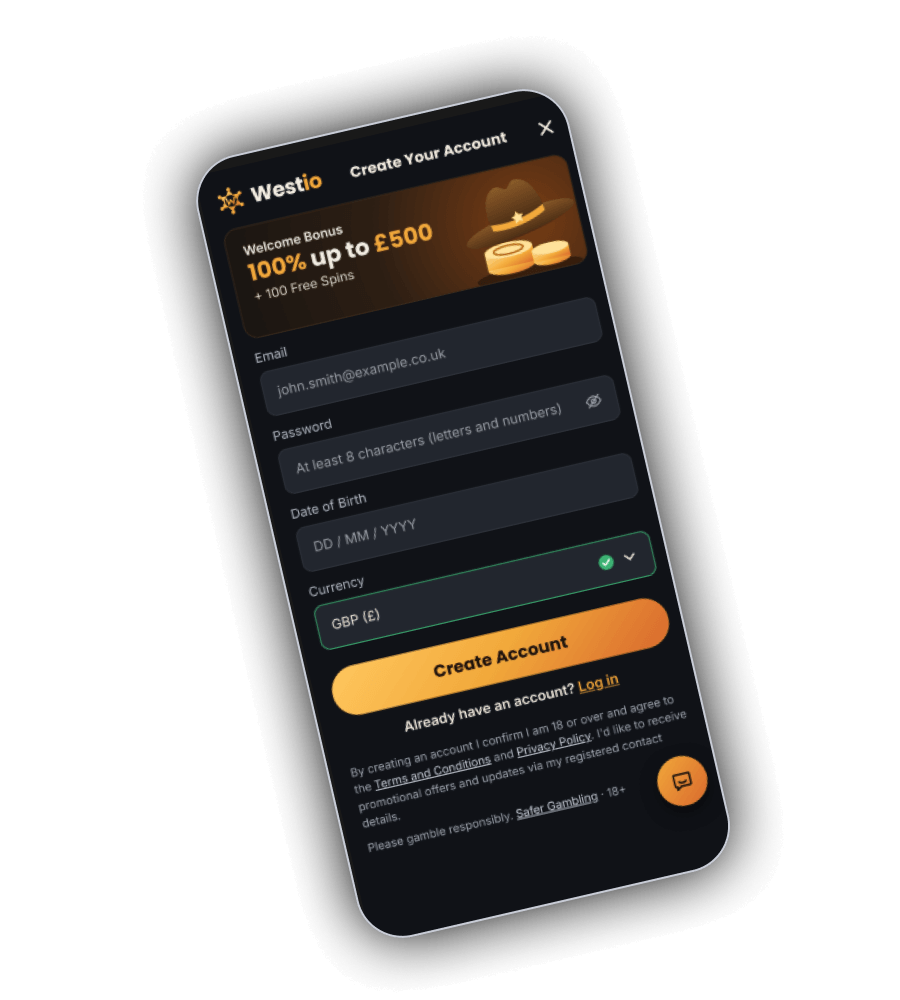
Join Now opens a single screen titled Create Your Account, with a close button at the top right. A brown card at the top repeats the offer: Welcome Bonus, 100% up to £500, + 100 Free Spins. Five things are asked for:
- Email. The example in the field is [email protected]. Use an address you can open, as account messages go there.
- Password, at least 8 characters with letters and numbers. Tapping the eye symbol reveals the password as entered.
- Date of birth, in the DD / MM / YYYY format used in Britain.
- Currency. GBP (£) was selected on our screen, with a green tick to show it is valid.
- Create Account, the amber button that submits the form.
The text under the button says that creating an account confirms you are 18 or over and agree to the Terms and Conditions and the Privacy Policy, both linked. The same paragraph covers consent to promotional offers and updates through your registered contact details. The last line reads Please gamble responsibly, with a Safer Gambling link and an 18+ mark.
The details you enter must match the documents you send later for verification, so use your legal name and real date of birth.
Log in
Logging back in
Use Log In in the header of any screen, or Already have an account? Log in under the sign up button. Enter the email and password you registered with. A forgotten password is reset through a link sent to that email.
On a shared device, log out at the end of a session and do not let the browser remember the password. Westio staff will not ask for your password in chat or by email, so treat any request for it as fraud.
Chat
Support chat and what it can help with
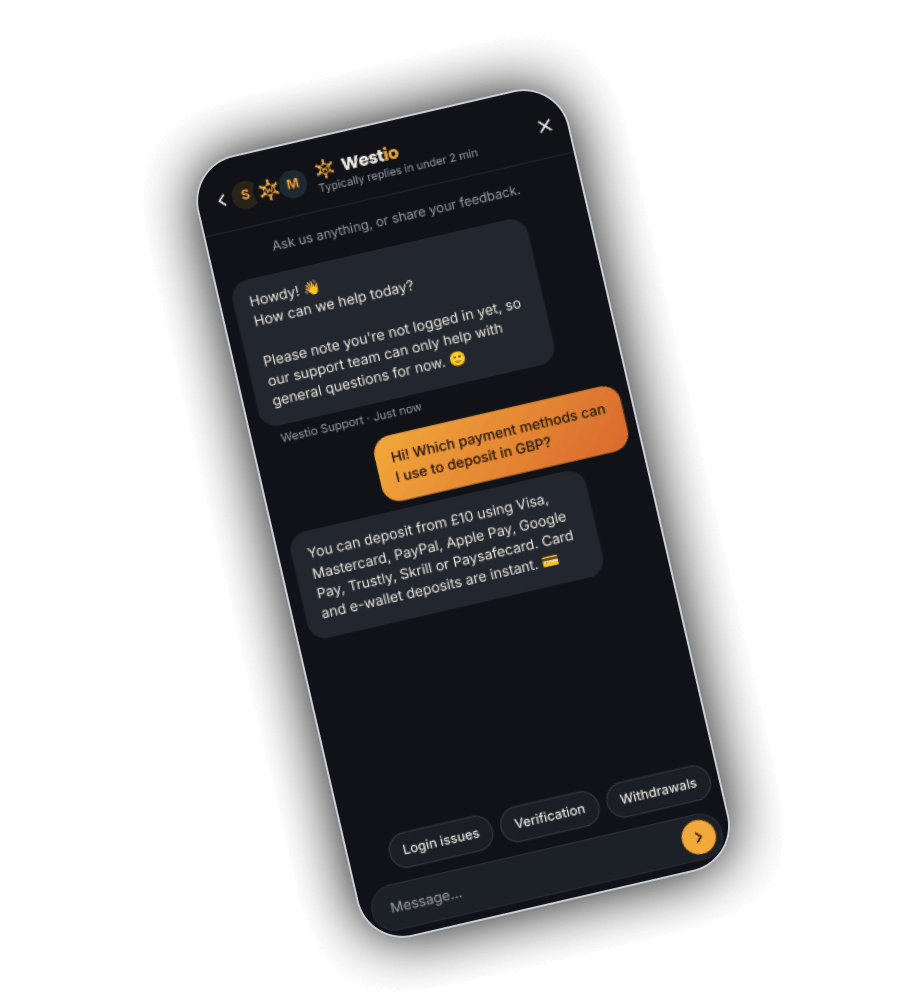
The orange bubble at the bottom right opens the Westio chat. Its header shows the support team's avatars and the note Typically replies in under 2 min, above the prompt Ask us anything, or share your feedback.
The opening message says Howdy and asks how the team can help. It also explains that a visitor who is not logged in can only get help with general questions, because account details are visible to the agent only after you log in. In our screenshot a visitor asked which payment methods work for deposits in GBP. The reply listed Visa, Mastercard, PayPal, Apple Pay, Google Pay, Trustly, Skrill and Paysafecard from £10, and added that card and e-wallet deposits are instant.
Three quick reply buttons above the message field cover the common topics: Login issues, Verification and Withdrawals. For account questions, log in first so the agent can see your balance and documents.
Complaints
Raising a complaint
Start with chat or the support email in the Help Centre. Written replies can take up to 5 business days under the shared terms. If the issue is about the outcome of a bet or game and is not settled at that first stage, it becomes a formal dispute, sent to the complaints address in the terms with:
- your account username and full registered name,
- the email sent from your registered address, with COMPLAINT and the reason in the subject line,
- a detailed summary of what happened,
- the dates and times involved.
If the dispute is still open after that, the terms point to the external complaints service at AskGamblers.
Limits
Pausing or closing an account
Ask support by chat or email for a deposit limit, a cooling off period or a full self exclusion, and say how long it should run. The terms ask you to mention any other accounts you hold with the casino and not to open new ones while excluded.
GAMSTOP does not reach Westio, as it covers operators licensed in Great Britain. For free advice at any hour, call GamCare on 0808 8020 133, or use the tools at BeGambleAware. Bank apps from most UK banks can also block gambling payments from your card.
Open a Westio account in pounds
One form, GBP from the start. 18+, please gamble responsibly.